

Need help?
Email us at support@examine.com or contact us.
Update your payment info
Log into your Examine account
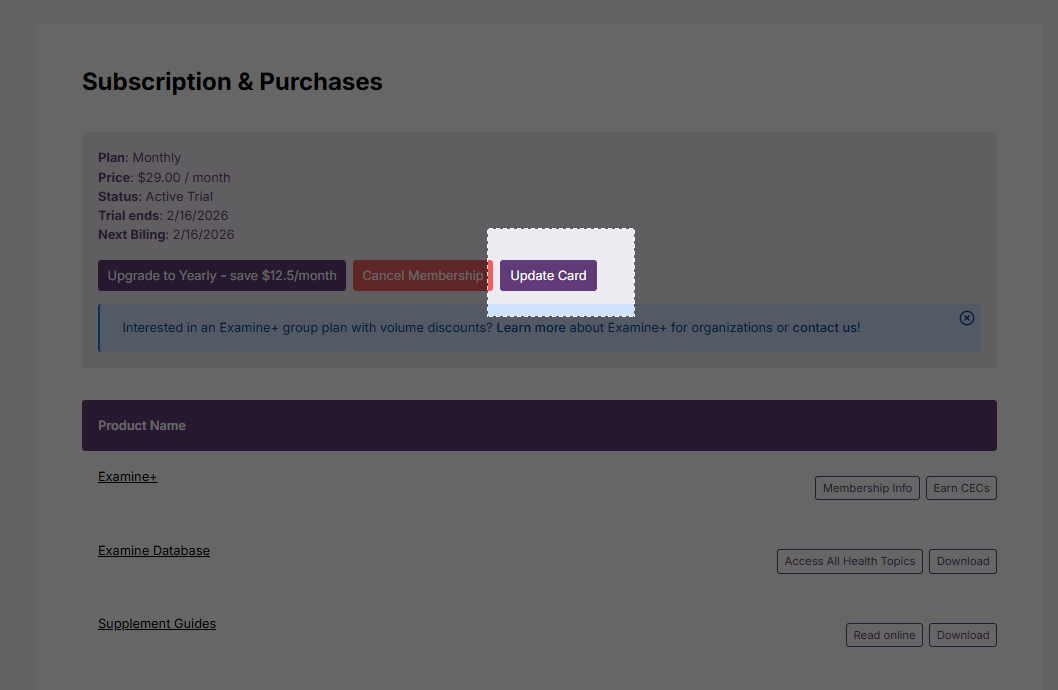
Navigate to Subscriptions & Purchases
Select Update Card
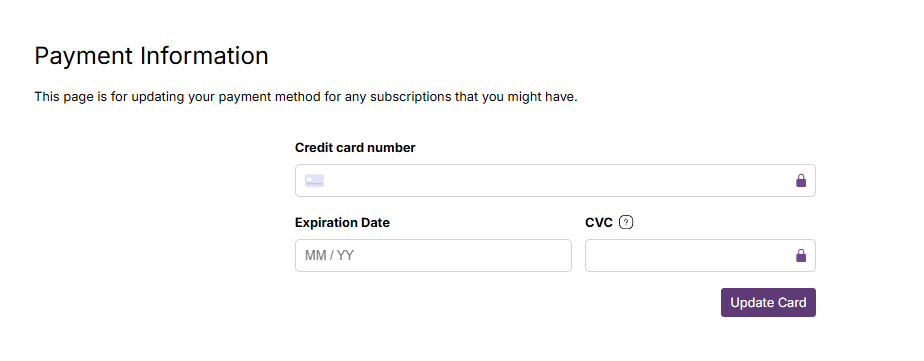
Enter your new payment information and tap Update Card.
Change your subscription
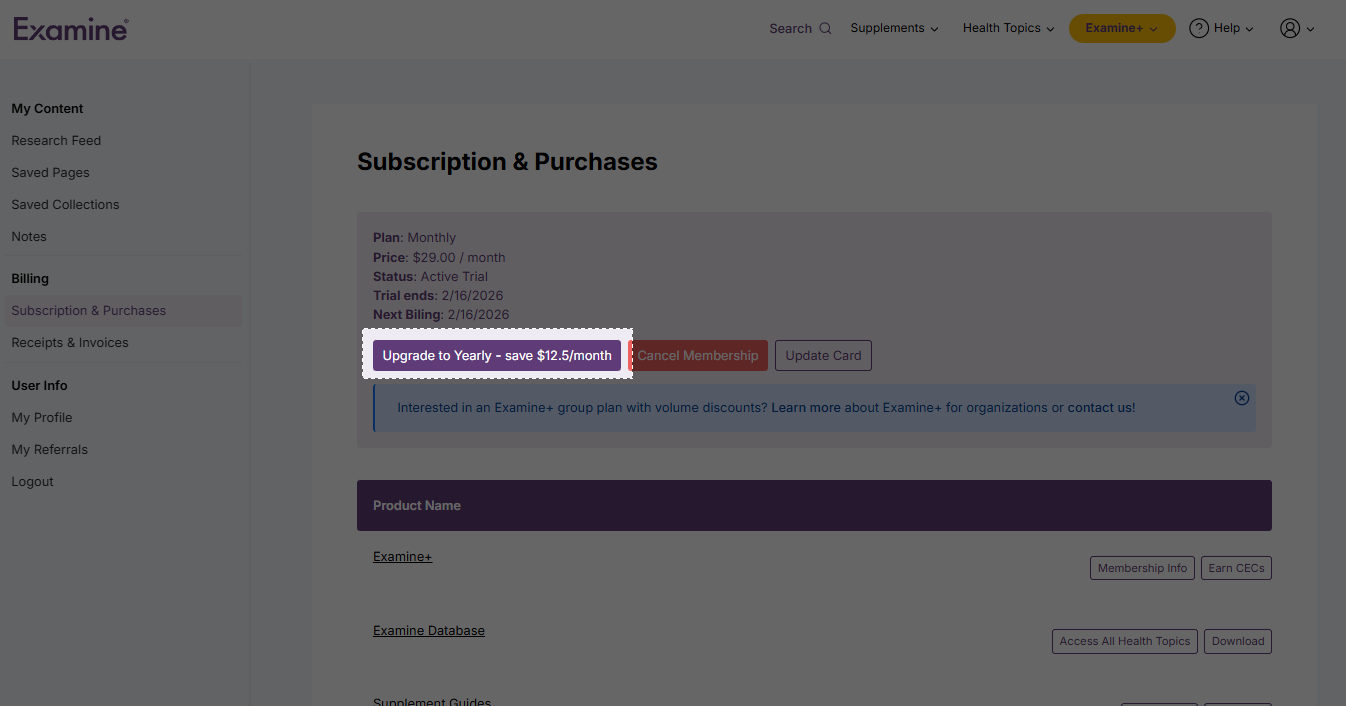
Head to your Billing details in your profile
Tap Upgrade
Cancel your subscription
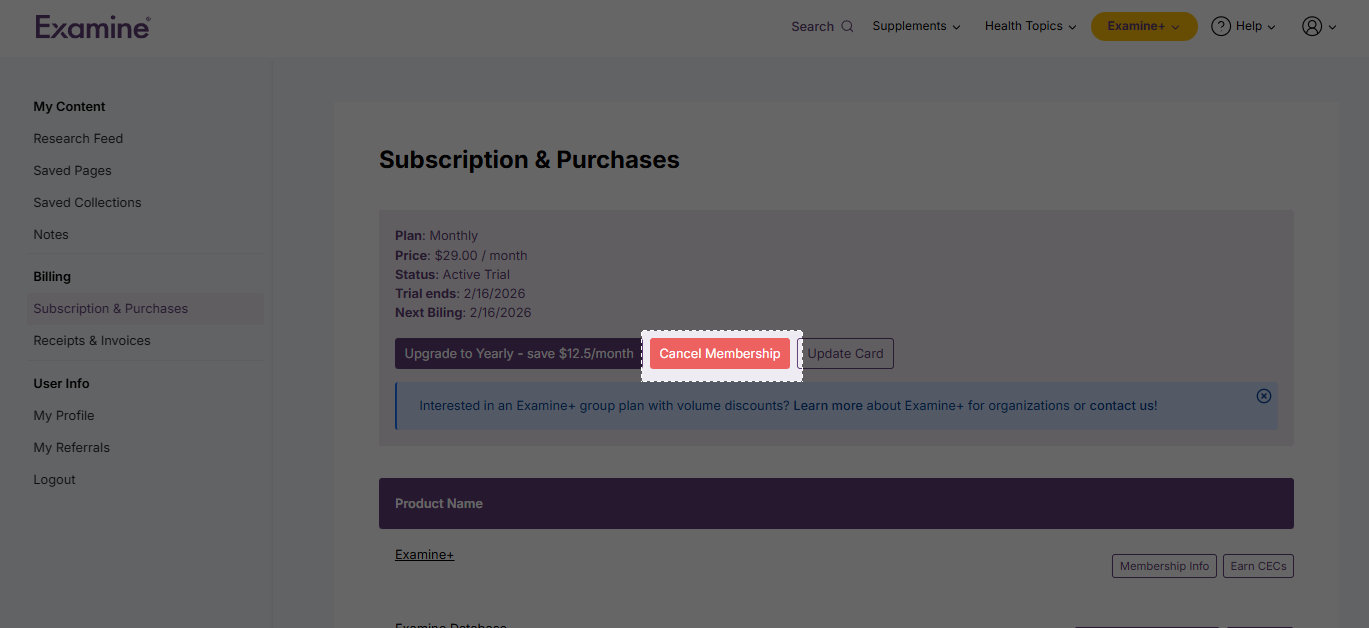
Head to your Billing details in your profile
Tap Cancel Membership
If you have any questions or require further assistance with your account, please don’t hesitate to ask. Just email us at support@examine.com
Refund policy
Examine offers a 60-day money-back guarantee — no questions asked. If you're not completely satisfied, contact customer support directly within the 60-day period for a full refund.
Receipts & Invoices
You can access and download all your subscription receipts directly from your Examine account under Receipts & Invoices.
To view the full receipt, click on the Transaction ID number. Note that the Examine membership is all on one page that lists each year.
Referrals
Examine is 100% supported by reader subscriptions to remain independent and unbiased. All free and paid members can participate in the referral program.
Get 33% in recurring payout for each new paid subscription you refer. Your recurring payments continue for as long as they remain subscribed — no expiry! Here's how:
Sign up
Start a free or paid account. Already have an account? Log in.
Share
Share your unique referral signup link directly, or
Share content with your unique referral signup link attached by clicking on any "Share" buttons across the site.
Earn!
Get a 33% recurring commission for anyone who signs up through your links. That means a third of every subscription payment we receive will go to you!
Learn more about the referral program: https://examine.com/referral-program/
FAQ
In which currency will I be billed?
Currently, all transactions are billed in USD.
Can I pause my subscription?
Currently, Examine does not offer an option to pause subscriptions. However, you can cancel anytime and easily restart your subscription when ready.
Why Did My Payment Fail?
There are many reasons why a payment may be declined, including:
Insufficient funds
Canceled or expired card
A transaction is flagged by your bank or credit card’s fraud prevention system
Your bank is ultimately responsible for approving or declining charges. We recommend paying with an alternate form of payment and contacting your bank to understand why a charge was rejected.